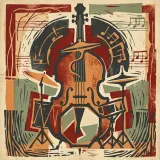
Boom Bap Notebook
2:30Boom BapSwung
Play an example while you set up your first generation.

Six grooves at the tempos their genres actually live at. Each is a starting loop rather than a finished arrangement.

You get the loop to build on, which is where most beats actually start.

For drums, bass and a top line in one pass, the beat generator goes further.
How Music Beat Maker works
Decide the drum character and the swing before the pattern is written.
Generate a beat and adjust it, rather than programming every hit from zero.
Take the beat into a DAW to arrange, or use it as it stands.
Four elements is a finished beat. The fourth - a bell, a vocal chop, a bass slide - is the one that makes it yours, and it is the one worth naming explicitly.
Eleven tempo tags cover the first. The second has no tag at all, so "heavy" or "light" goes in the Style of Music box as text next to whatever you selected.
The Weirdness slider sits at 0.5 by default; pulling it down asks for the conventional version of an idea rather than a second one layered over it.
How fast it moves and how hard it hits.
A finished beat: kick, snare, hats and something holding the key.
Beats three ideas competing for the same bar.
MP3, WAV, OGG, M4A, FLAC, AAC - accepted when a loop is the starting point.
Learn what a good pattern feels like by starting from one.
Get a groove under a song idea quickly.
Make a short rhythmic bed for a cut.
Answers for creators comparing Music Beat Maker, AI music generators, editing tools, and royalty-aware publishing workflows.
Get the loop right first; the arrangement is a later problem.